⏱️ Lectura: 14 min
The Zilog Z80 turned 50 this July 2026: it went on sale in July 1976, and Zilog only discontinued it in 2024, just two years before this anniversary. For half a century it powered home computers, game consoles, terminals, and industrial systems that are still running today.
📑 En este artículo
- TL;DR
- What the Zilog Z80 Is and Why It Matters
- From the Datapoint 2200 to the Intel 8008: An Accidental Origin
- Zilog Z80 Architecture: Registers, Flags, and Interrupts
- Practical Examples: From a Minimal Program to a Real Case
- Getting Started: Assembling and Running Z80 Code Today
- Real-World Use Cases: Where the Z80 Still Lives
- Common Mistakes and Best Practices
- Comparison: Z80 vs. Other 8-Bit Microprocessors
- Going Deeper: Undocumented Instructions and the eZ80
- Frequently Asked Questions
- References
This article explains how the Zilog Z80 is built internally, why it was born almost by accident as a commercial response to a chip that arrived late to its original customer, and how you can write and assemble code for it in 2026 using free tools on Windows, macOS, or Linux.
TL;DR
- You’ll understand why the Zilog Z80 is binary-compatible with the Intel 8080 and what new instructions it adds.
- You’ll learn to distinguish the alternate register bank (AF’, BC’, DE’, HL’) from the index registers IX and IY.
- You’ll assemble your first Z80 program with z88dk using Docker on Windows, macOS, or Linux.
- You’ll tell apart the Z80’s three interrupt modes (IM0, IM1, IM2) and when to use each one.
- You’ll use block instructions like LDIR to copy memory without writing a manual loop.
- You’ll identify where the Z80 still lives today: from the original Game Boy to TI calculators and industrial control.
- You’ll understand why Zilog discontinued the original Z80 in 2024 but keeps the eZ80 alive.
What the Zilog Z80 Is and Why It Matters
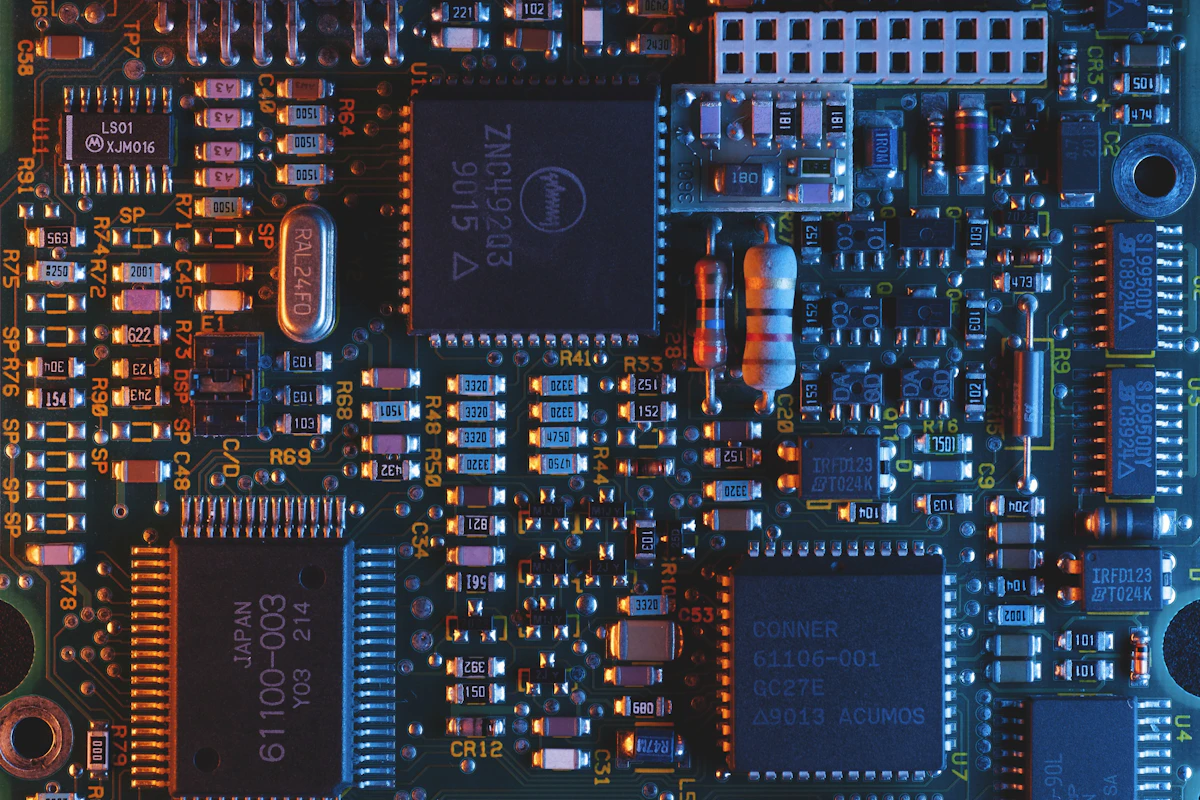
The Zilog Z80 is an 8-bit microprocessor launched in July 1976 by Zilog, a company founded by former Intel engineers. It’s binary-compatible with the Intel 8080: any program written for the 8080 runs unchanged on a Z80.
That compatibility wasn’t a coincidence. Zilog designed the Z80 to capture the 8080’s installed software base and beat it on speed, features, and system cost. The chip integrates the DRAM memory refresh circuit that an 8080-based design required extra external logic for, so a Z80-based board needed fewer support chips.
Alongside the Intel 8080 and the 8085, the Z80 helped establish a de facto standard for 8-bit microcomputers. That hardware standard, in turn, enabled a software standard: the CP/M operating system and the Microsoft BASIC interpreter ran practically the same way on machines from different manufacturers.
From the Datapoint 2200 to the Intel 8008: An Accidental Origin
The Z80’s story begins before Zilog even existed, with a programmable terminal. Computer Terminal Corporation (CTC) built the Datapoint 2200, a terminal with an 8-bit processor built from individual TTL chips. Intel sold CTC the shift registers and memory for that design.
At some point, the idea came up of replacing part of that TTL logic with custom integrated circuits, and eventually of fitting the entire 8-bit CPU on a single chip. CTC hired two companies to attempt it: Texas Instruments and Intel.
Neither finished on time. By the time Intel had its chip ready (internally called the 1201 under its numbering convention), CTC was already selling terminals with the original TTL design and had also redesigned the architecture for the next generation.
Texas Instruments abandoned its version. Intel, on the other hand, pressed on and marketed its own as the 8008 (using that marketing name, just as it had with the 4004). A few years later, the 8080 would emerge from it, and the Z80 would come from that lineage.
flowchart LR
    A["Datapoint 2200 (CTC, TTL logic)"] --> B["Intel 8008 (1972)"]
    B --> C["Intel 8080 (1974)"]
    C --> D["Zilog Z80 (1976)"]
    D --> E["Sharp LR35902 (Game Boy, 1989)"]
    D --> F["eZ80 (Zilog, 2000s)"]
Zilog Z80 Architecture: Registers, Flags, and Interrupts
The Z80 inherits from the 8080 an accumulator A and six general-purpose registers (B, C, D, E, H, L), which can be used individually (8-bit) or combined into 16-bit pairs (BC, DE, HL). The HL pair also functions as a memory pointer.
What the Z80 adds, and the 8080 lacked, is a second complete register bank: AF’, BC’, DE’, and HL’. With a single instruction (EXX, or EX AF,AF’) the program swaps one entire bank for the other, useful for fast interrupt routines that don’t want to clobber the main program’s context.
It also adds two 16-bit index registers, IX and IY, designed for indexed addressing: accessing memory with a fixed offset from a base, typical of arrays and structures.
The flags register F holds the ALU’s state after each operation: Zero, Carry, Sign, Parity/Overflow, and half-carry. The Z80 also keeps two officially undocumented bits (positions 3 and 5) that reflect internal bits of the result; several demoscene programs and some emulators depend on replicating them precisely.
For interrupts, the Z80 defines three modes: IM0 (the peripheral places the instruction to execute on the bus, as on the 8080), IM1 (always jumps to the fixed address 0x0038), and IM2 (the peripheral supplies 8 bits that, combined with the I register, build a table of 128 16-bit vectors). IM2 is the most flexible mode and the one used by most Z80-based home computers.
flowchart TD
    A["Accumulator A"] --- F["Flags F"]
    B["Register B"] --- C["Register C"]
    D["Register D"] --- E["Register E"]
    subgraph "HL pair: memory pointer"
    H["Register H"] --- L["Register L"]
    end
    IX["Index IX"]
    IY["Index IY"]
    SP["Stack pointer SP"]
    PC["Program counter PC"]
sequenceDiagram
    participant CPU as Z80
    participant PER as Peripheral
    PER->>CPU: requests interrupt (INT)
    CPU->>CPU: finishes the current instruction
    CPU->>PER: acknowledges with IORQ and M1
    Note over CPU,PER: in IM2 mode the CPU builds a 16-bit vector
    CPU->>CPU: jumps to the service routine
    CPU-->>PER: executes RETI when done
Practical Examples: From a Minimal Program to a Real Case
Let’s look at three progressive examples: a minimal one in assembly, one that uses a Z80-exclusive instruction to copy memory, and one in C compiled for CP/M.
The first one loads a value into the accumulator and sends it to an I/O port:
    ORG 0x0000
START:
    LD   A, 0x48      ; loads the character 'H' into the accumulator
    OUT  (0x01), A    ; sends A to I/O port number 1
    HALT              ; halts the CPU until the next interrupt
This program doesn’t print anything by itself: on real hardware, port 0x01 would need to be connected to something that interprets that byte (a UART, a display). What matters is seeing the basic pattern: LD to move data, OUT to talk to a peripheral, and HALT to stop the instruction clock.
The second example uses one of the instructions that made the Z80 famous compared to the 8080: LDIR, which copies an entire block of memory without needing to write a manual loop.
    LD   HL, 0x8000   ; source address
    LD   DE, 0xA000   ; destination address
    LD   BC, 0x0100   ; 256 bytes to copy
    LDIR              ; copies (HL) into (DE), increments HL and DE,
                       ; decrements BC and repeats until BC = 0
A single instruction replaces what on the 8080 required four or five instructions inside a loop. The Z80 has a whole family of similar block instructions: LDDR (reverse copy), CPIR (searches for a byte), and INIR/OTIR (block transfer with I/O).
The third example shows a case closer to a real program, written in C and compiled for CP/M with the z88dk toolchain:
#include <stdio.h>

int main(void) {
    printf("Hello from CP/M on a Z80\n");
    return 0;
}
The z88dk compiler translates that C code into Z80 assembly and links it against its CP/M runtime. The result is a .com file that runs on any CP/M emulator or on real hardware running that operating system.
Getting Started: Assembling and Running Z80 Code Today
The simplest way to try these examples without installing something different depending on your operating system is with Docker, which runs the same command on Windows, macOS, and Linux (on Windows, through Docker Desktop with the WSL2 backend).
# Windows (Docker Desktop + WSL2), macOS, and Linux: the same command
docker pull z88dk/z88dk
docker run --rm -v "$PWD":/src z88dk/z88dk zcc +cpm -create-app -o hola.com /src/hola.c
The +cpm option tells zcc to compile for the CP/M platform; -create-app builds the executable binary. The result, hola.com, ends up in your local folder thanks to the volume mounted with -v.
To run the binary without real hardware, you need a CP/M or Z80 emulator. An alternative that requires no installation is 8bitworkshop.com, a browser-based IDE that assembles and runs Z80 and other retro CPU code directly, useful for trying the first two examples in this article without leaving the browser.
💡 Tip: if you’re going to debug interrupts or the exact behavior of the F register’s undocumented bits, use a cycle-accurate emulator instead of one that only simulates the functional logic.
Real-World Use Cases: Where the Z80 Still Lives
The Z80 was the heart of home computers like the ZX Spectrum and the entire MSX standard, two lines that defined home computing in Europe and Japan during the 1980s. It also ran CP/M on thousands of office systems before the massive arrival of the IBM PC.
Its influence reaches into your pocket: the Sharp LR35902, the processor in the original Game Boy, is a Z80 derivative with a subset of its instructions plus a few from the 8080. Millions of people played with a Z80-descended chip without knowing it.
Texas Instruments’ TI-83 and TI-84 graphing calculators, still used in schools across Latin America, also run a Z80. And in classic 1980s arcade machines, the Z80 often handled sound while another processor handled graphics.
Outside the retro world, the original Z80 kept being manufactured for industrial and embedded applications until Zilog discontinued it in 2024. The company didn’t abandon the architecture: its successor, the eZ80, remains in production with an instruction pipeline and much higher clock speeds, aimed at the same kind of industrial control.
Common Mistakes and Best Practices
A frequent mistake when porting code from the 8080 to the Z80 is assuming that the flags behave identically on every new instruction. Most of the 8080 subset does behave identically, but some Z80-exclusive instructions set the flags in ways different from what a programmer used to the 8080 would expect.
Another mistake, more about hardware than software, is underestimating the reset circuit. An unreliable power-on reset leaves the Z80 starting up in an undefined state for its internal registers, something anyone designing their own board with a real (non-emulated) Z80 discovers quickly the moment they test their first prototype.
⚠️ Watch out: in embedded systems with very little RAM, an undersized stack that grows into the same addresses as your global variables produces silent corruption: the symptoms show up far from the real cause.
The R register, originally intended to automatically refresh DRAM, also increments with every instruction executed. Some 1980s copy-protection programs used it as a source of randomness or to detect whether the code was running inside an emulator, something worth keeping in mind if you’re emulating an old game and its behavior doesn’t match the original.
Comparison: Z80 vs. Other 8-Bit Microprocessors
| Processor | Year | Compatibility | Typical Use |
|---|---|---|---|
| Intel 8080 | 1974 | Base instruction set inherited by the Z80 | Altair 8800, early microcomputers |
| Intel 8085 | 1976 | Compatible with the 8080, integrates clock and bus control | Low-cost embedded systems |
| Zilog Z80 | 1976 | Binary superset of the 8080, adds IX/IY and alternate bank | ZX Spectrum, MSX, CP/M, Game Boy (via derivative) |
| MOS 6502 | 1975 | Own architecture, not compatible with the 8080 family | Apple II, Commodore 64, NES |
The column that matters most in practice is compatibility. The Z80 gained ground because a company could migrate its 8080 software without rewriting it, and get new instructions for free on top of that. The 6502, by contrast, competed with a different design: fewer registers but a simpler, cheaper-to-manufacture instruction cycle, which explains why it dominated another market segment almost in parallel.
Going Deeper: Undocumented Instructions and the eZ80
Zilog never officially documented that the index registers IX and IY can be treated as two independent 8-bit halves: IXH, IXL, IYH, and IYL. The hardware does allow it, and generations of assembly programmers in the Game Boy and Spectrum scenes exploited this to save registers in speed-critical routines.
That kind of undocumented behavior is also why writing a truly accurate Z80 emulator is much harder than it looks at first glance: implementing the official manual isn’t enough, you have to replicate internal ALU bits that Zilog never promised to keep stable.
💭 Key point: the eZ80 keeps the same instruction set as the original Z80 but executes each instruction through an internal pipeline, which lets it reach much higher clock speeds without breaking binary compatibility with 1980s software.
The eZ80 is now the path Zilog uses to keep selling the architecture for industrial control: same instructions, same mental model for anyone who already knows how to program a Z80, but with a modernized core underneath. For someone who learns the classic architecture first, migrating to the eZ80 later turns out to be almost seamless in terms of the learning curve.
📖 Summary on Telegram: View summary
Your next step: install z88dk with Docker, assemble this article’s LDIR example, and run it on 8bitworkshop.com to watch the memory block get copied step by step in the debugger.
Frequently Asked Questions
Why Is It Called Z80 Instead of Following Intel’s Numbering?
Zilog was a new company, founded by former Intel engineers, and chose its own naming scheme. The “Z” identifies Zilog, and “80” refers to its kinship with the Intel 8080, with which the chip is binary-compatible.
Is the Zilog Z80 Compatible with the Intel 8080?
Yes, in binary: any program compiled for the 8080 runs without modification on a Z80. The Z80 adds new instructions, registers, and interrupt modes that the 8080 doesn’t have.
What Sets the Z80 Apart from the Intel 8085?
Both are compatible with the 8080 and came out the same year, but they took separate paths: the 8085 integrates the clock generator and part of the bus control logic, while the Z80 bet on more registers (alternate bank, IX, IY) and a broader instruction set.
Where Is the Zilog Z80 Used Today?
The original chip hasn’t been manufactured since 2024, but its architecture lives on in the eZ80 for industrial control, and the derivative Sharp LR35902 design is, in fact, still the processor inside millions of original Game Boys that still work.
What Is the eZ80 and How Does It Differ from the Original Z80?
It’s Zilog’s evolution of the same architecture: it keeps the Z80’s instruction set but executes it through an internal pipeline, allowing higher clock frequencies without breaking compatibility with existing software.
Can I Program a Z80 Without Real Hardware?
Yes. With z88dk you can assemble or compile Z80 code on Windows, macOS, or Linux using Docker, and run it in a CP/M emulator or a browser-based IDE like 8bitworkshop.com, with no physical chip required.
References
- goliath32.com: The Zilog Z80 has turned 50: original English-language article covering the Z80’s history and architecture, with anecdotes from its development and the home computing scene.
- Wikipedia: Zilog Z80: technical specs and timeline of the processor, including its derivatives and use across different platforms.
- GitHub: z88dk: open-source toolchain with a C compiler, assembler, and libraries for developing software for the Z80 and related architectures.
- 8bitworkshop.com: browser-based IDE to assemble, compile, and debug Z80 and other retro CPU code without installing anything.
📱 Enjoy this content? Follow @programacion on Telegram for daily tech content in Spanish: quick summaries, fresh content every day.
Imagen destacada: Foto de Zulfugar Karimov en Unsplash



0 Comments