⏱️ Reading time: 10 min
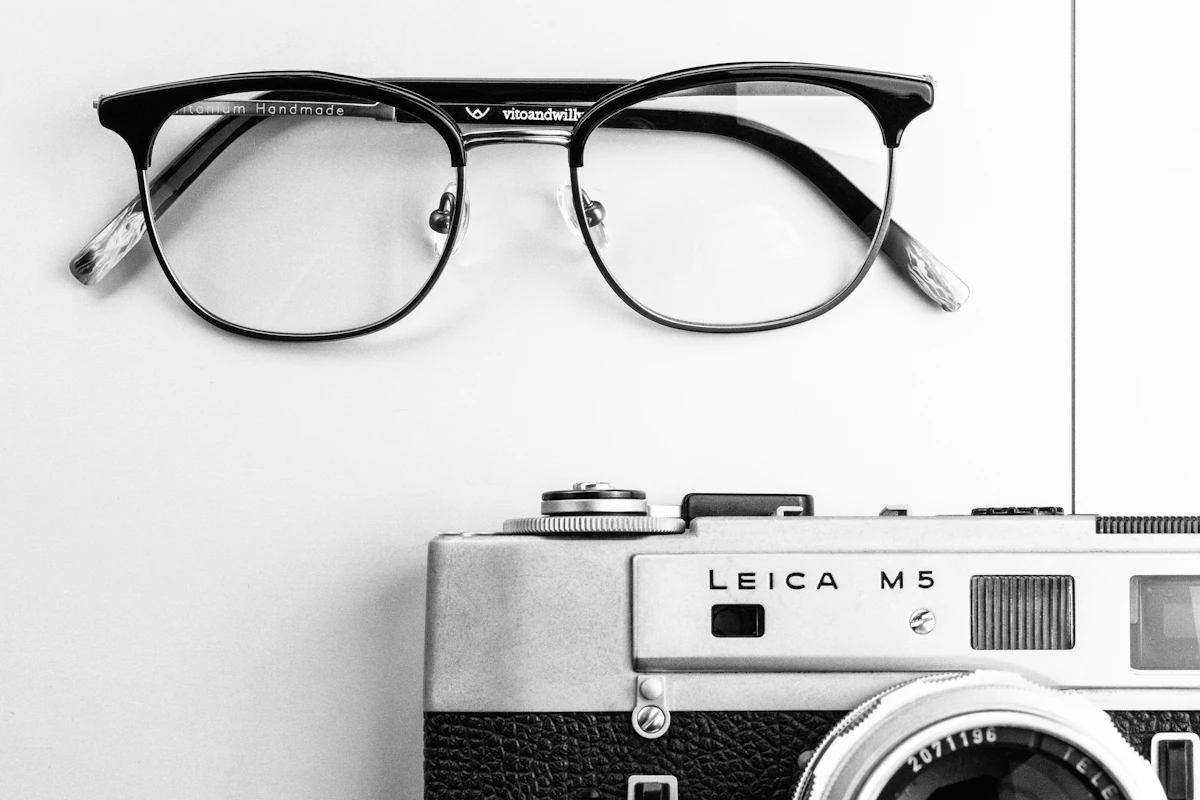
Ray-Ban Meta, Oakley Meta, and Snap Spectacles are glasses with a camera built into the temple, and that camera powers on a Bluetooth chip that broadcasts a recognizable identifier as soon as it activates. ZuckOff works off that signal: it’s an iOS and Android app that alerts you when a pair of those glasses is nearby, without accessing the other device’s camera or intercepting video.
📑 En este artículo
The app listens for the same Bluetooth advertisement that any camera glasses broadcast over the air and compares it against a list of manufacturer signatures. According to its own official page, all processing happens on the phone, with no account or server involved.
TL;DR
- ZuckOff is a free iOS and Android app that detects camera glasses by their Bluetooth signal.
- It recognizes Ray-Ban Meta, Oakley Meta, and Snap Spectacles via manufacturer ID: 0x0D53, 0x058E, and 0x03C2.
- Service UUID 0xFD5F, registered under Oculus VR, also triggers an alert from the app.
- No data leaves the phone: there’s no account, server, or cloud logging.
- You can mark your own glasses so they stop generating alerts.
- The app exports the full history of detected Bluetooth devices as a CSV.
- On iPhone, it adds a home screen widget and a Live Activity on the lock screen.
- The developers acknowledge that some standalone models don’t emit a signal while recording.
What happened
ZuckOff presents itself as a camera glasses detector: it scans the surrounding area for Bluetooth advertisements from Ray-Ban Meta, Oakley Meta, Snap Spectacles, and similar hardware, and alerts as soon as it picks one up. The app doesn’t try to visually identify the camera or ask the other device for permission; it relies on the fact that these glasses, like nearly every Bluetooth accessory, constantly announce their presence so they can pair or sync data with their owner’s phone.
Among the features the project lists are: showing the evidence behind each alert so the user can review why it fired and decide whether to trust it, logging every Bluetooth device heard, not just glasses, letting you mark your own glasses once to silence them, background alerts, a home screen widget and a Live Activity on the iPhone lock screen, scan control from the Shortcuts app, Siri, or an automation, and exporting the full log as a CSV on request.
Context and history
Wearable cameras have been generating social friction for more than a decade. The original Google Glass, launched in 2013, spawned the derogatory term “Glasshole” and ended up banned in bars and movie theaters before Google pulled the consumer model. Meta and Luxottica revisited the idea with more aesthetic discretion: the 2021 Ray-Ban Stories and their successor, Ray-Ban Meta, look like ordinary glasses, with a nearly invisible camera built into the frame.
That discretion has already created friction in physical spaces: gyms, casinos, and some restaurants have started restricting the use of camera glasses in their internal rules, the same way they used to limit phone use in locker rooms. The difference is that a sign on the door verifies nothing; it depends on the visitor disclosing that they’re wearing them. Unlike a phone held up, which is visible, camera glasses can record without anyone noticing the gesture. ZuckOff doesn’t solve that problem by regulating the hardware: it exploits something that hardware already emits in order to function, its Bluetooth radio.
Technical details: how ZuckOff detects camera glasses
Every Bluetooth Low Energy device transmits advertising packets before pairing, and those packets usually include a “manufacturer specific data” field with a numeric identifier assigned per manufacturer, plus, in some cases, a Service UUID. ZuckOff built its signature list by capturing those packets from real glasses, and the four main signals it documents are these:
| Signal | What it means |
|---|---|
| 0x0D53 | Luxottica: Ray-Ban Meta, Oakley Meta |
| 0x058E | Meta Platforms Technologies, wearable |
| 0x03C2 | Snap: Spectacles |
| 0xFD5F | Service UUID registered under Oculus VR |
On top of that, there’s a product name match (Spectacles, HeyCyan, VisionPro, VistaView, among others) that the app uses as a lower-confidence signal when there’s no recognized manufacturer ID.
The simplified flow is as follows:
sequenceDiagram
participant G as Camera glasses
participant T as Phone with ZuckOff
G->>T: BLE advertising packet
Note over G,T: includes manufacturer ID 0x0D53
T->>T: compares ID against signature list
T-->>T: match found
T->>T: triggers alert and saves evidence
Any developer can reproduce the same kind of scan with standard Bluetooth Low Energy tools. In Python, the bleak library runs the same on Windows, macOS, and Linux:
pip install bleakThe simplest script lists every nearby Bluetooth device along with its raw manufacturer data field:
import asyncio
from bleak import BleakScanner

async def escanear():
    dispositivos = await BleakScanner.discover(timeout=5.0)
    for d in dispositivos:
        print(d.address, d.name, d.metadata.get("manufacturer_data"))

asyncio.run(escanear())
The part that does the real work, as in ZuckOff, is comparing those bytes against the signature table above, something that can be replicated in a few lines:
FIRMAS = {
    0x0D53: "Luxottica (Ray-Ban Meta / Oakley Meta)",
    0x058E: "Meta Platforms Technologies wearable",
    0x03C2: "Snap Spectacles",
}

def clasificar(manufacturer_data):
    for company_id in manufacturer_data:
        if company_id in FIRMAS:
            return FIRMAS[company_id]
    return None
⚠️ Heads up: the glasses broadcast a stronger signal when powering on, pairing, or coming out of the case. Most keep advertising while in use, but some standalone models lower their Bluetooth output and go nearly silent. Silence isn’t proof that no one is recording, and a detection isn’t proof that the camera is active at that moment either.
Signal strength (RSSI) gives a rough idea of distance, but not direction: ZuckOff can tell you there are glasses nearby, not which side they’re on.
How to get started or try it
For an end user, it’s enough to search for ZuckOff on the App Store or Google Play, install the app, and grant it Bluetooth permission. From there, it’s worth marking your own camera glasses, if you have them, so they don’t generate repeated alerts, and enabling background alerts if you want to be notified even with the app closed.
To confirm the scan actually works in a development environment, it’s worth inspecting the raw Bluetooth traffic instead of relying only on the app’s alert. On Linux, bluetoothctl shows the advertising packets live:
bluetoothctl
[bluetooth]# scan on
Every new line that shows up with a nonzero manufacturer data field is a candidate to check against the signature table. On macOS, the system_profiler SPBluetoothDataType utility lists paired and nearby devices; on Windows, Device Manager or third-party tools like Bluetooth LE Explorer do the same job. The nRF Connect app, available for all three desktop operating systems as well as iOS and Android, is the most direct way to see the raw manufacturer data field of any nearby device and compare it by hand against 0x0D53, 0x058E, or 0x03C2.
Impact and analysis
What makes ZuckOff interesting isn’t just the functionality, but the way it was built: instead of relying on Meta or Snap to publish a detection API, which officially doesn’t exist, the project builds its signature list by capturing real devices. The team itself admits it only owns a handful of glasses, which is why it asks anyone with hardware outside the list to email a short Bluetooth capture; they even offer to borrow the hardware and return it once it’s registered.
That model of collaborative hardware signature gathering is uncommon outside security communities, and depends entirely on users themselves being motivated to grow the list. It’s also its most obvious limitation: any new manufacturer, or any model that changes its manufacturer ID in a firmware update, stays invisible until someone captures and reports that signal.
💭 Key point: ZuckOff doesn’t detect cameras, it detects Bluetooth radios. The distinction matters: a pair of glasses with the camera covered would still be detected, and a device that turns off its Bluetooth to record silently would go unnoticed.
What’s next
The project funds the purchase of new hardware to test through donations (Suppi and Buy Me a Coffee, according to its site) and says it’s open to collaborating with privacy groups. It also offers a newsletter that alerts subscribers when a new version comes out or when the detection list grows, without using that email address for anything else.
The logical next step for this kind of tool is expanding coverage to more camera wearable manufacturers as the market grows, and finding a way to also detect standalone models that currently stay silent over Bluetooth while recording.
Try it yourself: install ZuckOff from the App Store or Google Play, turn on your phone’s Bluetooth, and see if it detects signature 0x0D53 or 0x058E the next time you’re near a pair of camera glasses.
Frequently Asked Questions
Does ZuckOff need an internet connection to work?
No. All detection happens on the phone by comparing Bluetooth advertisements against a local signature list; according to its official page, the app doesn’t create an account or send data to a server.
Can ZuckOff confirm someone is recording at that moment?
No. It detects that a pair of camera glasses is broadcasting a Bluetooth signal nearby, but that doesn’t prove the camera is recording at that instant, and silence doesn’t prove the opposite either.
What if I have my own Ray-Ban Meta?
You can mark them once inside the app so ZuckOff stops generating alerts every time it detects them.
Does it work with glasses from brands not on the list?
Only if they share one of the known identifiers or a recognizable product name. For new hardware, the team asks owners to send a short Bluetooth capture to add the signature to the app.
Is ZuckOff affiliated with Meta, Snap, or Luxottica?
No. The project states that it’s independent and has no relationship with Meta Platforms, Luxottica, Ray-Ban, Oakley, or Snap.
Can you automate when the app scans?
Yes, on iPhone you can start and stop a scan from the Shortcuts app, with Siri, or within an automation.
References
- ZuckOff, Camera glasses detector: the project’s official page, with the Bluetooth signature list and details on its features.
- Bluetooth Low Energy, Wikipedia: explains the advertising packets ZuckOff listens for to detect hardware.
- Ray-Ban Meta, Wikipedia: background on Meta and Luxottica’s camera glasses line.
- Google Glass, Wikipedia: historical precedent for the social pushback against wearable cameras.
📱 Enjoying this content? Follow @programacion on Telegram for daily tech content in Spanish: quick summaries, fresh content every day.
Did it work for you? Got a different error? Say so below: questions get answered and help the next reader.
Leave a comment



0 Comments